
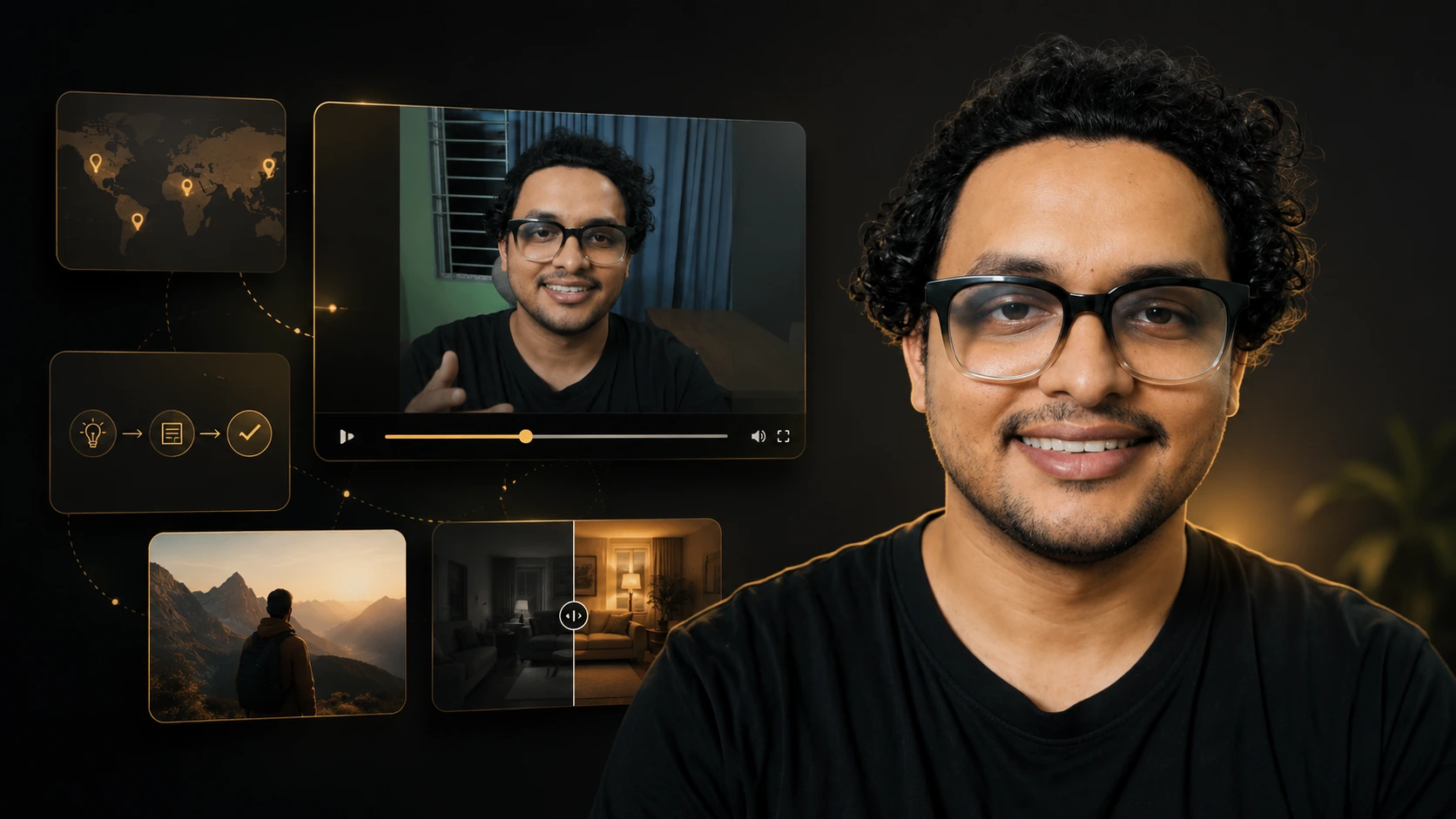
A talking-head video can be one of the most effective ways to share expertise. A founder can explain a decision. A teacher can unpack a difficult idea. A creator can tell a personal story. But when the viewer sees the same frame for too long, the edit has to work harder to keep the information easy to follow.
That doesn't mean every sentence needs a flashy cutaway. In fact, random B-roll often weakens a good video. It can distract from the speaker, make serious ideas feel generic, or create visual movement without adding meaning. My approach is to treat B-roll as an explanation layer. Before choosing a shot, I ask a simple question: what will the viewer understand more easily if they see this now?
B-roll should answer a viewer's question, clarify a spoken idea, or create a deliberate emotional transition. If it does none of those things, it's probably just decoration.
01 The Difference Between Decorative and Explanatory B-Roll
Decorative B-roll is selected mainly because it looks attractive, or because the editor feels the screen needs to change. Explanatory B-roll has a clear relationship with the spoken idea. It can give a concept a physical form, make an abstract process visible, establish a setting, compare two options, or give the audience a moment to process a key point.
| Type of B-roll | What it does | Example |
|---|---|---|
| Decorative | Adds visual movement without changing understanding | A generic person typing while the speaker discusses a specific business decision |
| Contextual | Establishes where, who or what the speaker is discussing | The speaker mentions field research; the edit shows the relevant place, map or archive material |
| Explanatory | Makes a spoken concept easier to understand | A simple on-screen sequence showing the three steps of a process being described |
| Contrastive | Helps the viewer see a difference or trade-off | Two frames showing “raw interview” versus “structured final edit” |
| Emotional | Creates a considered pause or supports a personal moment | A quiet, relevant location shot after the speaker describes a difficult experience |
The best talking-head edits use all of these selectively. The speaker remains the main source of authority; the B-roll is there to make the message clearer.
02 Use B-Roll When the Speaker Introduces a New Concept
The first useful moment for B-roll is often the start of a new idea. When a speaker moves from the problem to the solution, or from context to an example, the viewer benefits from a visual signal that something has changed.
Imagine an educator saying, “There are three reasons this region developed so differently.” Instead of cutting immediately to a random landscape clip, I would consider a simple three-part graphic, a labelled map, or a sequence that introduces each reason one at a time. The visual isn't filling an empty frame—it's preparing the audience for a structure.
Editing choice: put B-roll at the point of conceptual change, not simply every few seconds. This keeps the edit rhythmic while allowing the audience to learn the visual language of the video. When a specific graphic style appears, they know a new section, example or takeaway is arriving.
03 Translate Abstract Language Into Something Visible
Experts often speak in abstract but valuable language: strategy, momentum, systems, trust, scale, risk, context or process. These ideas are meaningful, but a viewer may need a visual anchor to hold onto them. The job isn't to force a literal stock clip onto every abstract word—it's to find the visual form that best supports the meaning.
For a geography, history or educational video, maps, dates, diagrams, archival material and labelled comparisons can be especially powerful. For a founder or consultant, product screens, workshop material, process boards or relevant on-location footage may be more useful. The right B-roll depends on what the audience needs to understand—not on a universal template.
04 Let B-Roll Carry Evidence When the Speaker Makes a Claim
When a speaker refers to a place, document, product, data point, historical event or workflow, relevant visual evidence makes the statement feel more grounded. It also prevents the edit from relying entirely on verbal explanation.
For example, if a creator is explaining why a mountain range shapes a country's climate, a map and landscape sequence can support that claim visually—see a real example in my Chile geography case study. If a consultant is describing a revised workflow, a clean before/after process diagram may tell the story more directly than another close-up of the speaker.
The important word is relevant. A beautiful shot that doesn't support the evidence can make a video feel less trustworthy. If I can't find a useful visual, I'd rather hold on the speaker, use a simple text emphasis, or create a restrained graphic than use an unrelated clip.
05 Use Visual Contrast to Make Comparisons Memorable
Talking-head content often asks the audience to distinguish between two approaches: old versus new, common versus effective, symptom versus cause, or raw footage versus a refined story. B-roll can make those comparisons immediate. A split screen, side-by-side text layout, controlled transition or recurring before/after treatment can help the viewer see the difference rather than just hear it described. This is particularly useful in educational, software, business and editing-related content.
| Spoken idea | Weak visual choice | More useful explanatory choice |
|---|---|---|
| “The process became fragmented.” | A random jigsaw puzzle clip | A simple timeline breaking into separate, labelled handoff points |
| “The audience needs context first.” | A person looking confused | A map, short timeline or before/after information layout |
| “The problem is uneven pacing.” | Fast montage with no connection to the point | A restrained visual comparison of a crowded timeline and a refined sequence |
| “This decision affected the whole system.” | Generic office drone footage | A diagram showing how the decision connects to the next two steps |
The goal isn't to over-design the point. One visual contrast at the right moment is more useful than multiple competing treatments.
06 Give the Viewer Room to Process a Key Idea
B-roll is also about pacing. Sometimes a relevant visual gives the viewer a short pause after a dense statement. This pause isn't empty time—it lets the previous idea settle before the video moves on.
In a long educational video, I often use a brief map detail, a contextual location shot, an archive image or a simple phrase on screen as a transition between information-heavy sections. The visual should reinforce the idea that has just been made and create a clean path to the next one. This is more effective than cutting continuously. A good edit has variation: direct connection with the speaker, visual explanation, a moment of context, then a return to the speaker when their voice needs to carry the next part of the story.
07 Keep the Speaker Central When the Point Is Personal or Nuanced
Not every line needs B-roll. When a speaker is sharing a personal belief, making a delicate argument, or delivering a key emotional sentence, the strongest choice is often to stay on their face.
| When the speaker says… | A clear B-roll treatment |
|---|---|
| “Most people start with the wrong question.” | Two short cards: “Surface question” and “Useful question” |
| “The raw cut felt slow because the point arrived too late.” | A timeline excerpt showing the hook moving earlier |
| “The map isn't just decoration—it explains distance.” | Animated distance/route comparison beside the narration |
| “The new system reduced unnecessary steps.” | A simplified before/after workflow diagram |
The viewer reads expression, confidence and sincerity from the speaker. Cutting away too quickly can remove the human connection that makes a talking-head format powerful in the first place. This is why I plan B-roll around a hierarchy of attention. The viewer should always know what matters most: the person, the idea, the evidence or the transition. If all four compete at once, the edit becomes noisy.
08 A Practical B-Roll Planning Framework
Before I start placing visuals, I use a simple editorial pass through the transcript or script. Each section receives one of four labels:
| Label | Question to ask | Typical treatment |
|---|---|---|
| Hold | Does the viewer need to see the speaker deliver this? | Keep the talking-head frame; use a subtle punch-in only if helpful |
| Show | Is there a real location, object, event or example being referenced? | Relevant footage, screen capture, map or archive material |
| Explain | Is the speaker introducing an abstract process, number or relationship? | Text, diagram, timeline, labelled comparison or motion graphic |
| Breathe | Has the audience just received a dense or emotional point? | Short contextual visual, restrained transition or intentional hold |
This framework prevents B-roll from becoming an afterthought. It also makes revision easier, because every visual has an editorial reason that can be discussed with the client.
09 What I Avoid
I avoid adding visual clutter just to make a video feel “busy.” I also avoid stock footage that changes the meaning of the speaker's point, aggressive transitions that interrupt a serious explanation, and text treatments that require the viewer to read faster than they can listen. The aim isn't to prove the editor has access to many effects—it's to make the speaker's message easier to understand, remember and trust.
10 How This Shows Up in My Edits
If you record long-form talking-head videos, expert interviews, lessons or explainers, B-roll can do more than break up the frame. Used with intention, it creates structure, shows evidence, and helps a viewer stay connected to your argument. I edit talking-head, documentary, educational and social content remotely in Adobe Premiere Pro and After Effects, planning every B-roll placement around the Hold, Show, Explain and Breathe framework above before a single cut goes in.